YOUR NEXT CHAT FAVORITE
Big personality.
Tiny emotes.
Turn an idea into an emote that feels like you.
Start with one. Make the whole set when you’re ready.
 emotemaker.ai
Turn an idea into an emote that feels like you.
Start with one. Make the whole set when you’re ready.
resolution, handled
Twitch and Discord reject uploads that are too large. So every emote is generated as a high-resolution master, then exported at each platform's exact spec — and the big canvases (banners, screens) are generated at full size from the start. You never resize anything.
emotes

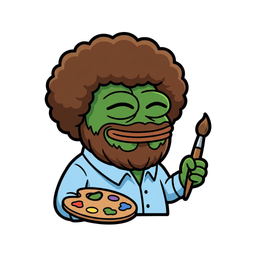
Downloads arrive as a ZIP with the clean master plus Twitch 28/56/112, Discord 128, and YouTube 48 — transparent PNGs, upload-ready.
on the roadmap: LINE sticker & iMessage sticker exports
channel assets
Profile banner
Twitch + Discord
Starting-soon / BRB screen
Twitch
Twitch panels
About · Schedule · Socials…
Stream alerts
subs · raids · cheers
Avatar
Twitch + Discord
Discord server icon
Discord
Discord server banner
Discord
All matched to your emote's character and style — that's the part a one-off image generator can't do.
Every emote generated by AI — transparent PNGs, ready in seconds


Transparent backgrounds · Ready for Twitch · Discord · YouTube · Kick
Describe your dream emote in a few words
AI creates it in about 30 seconds
Any credit pack unlocks clean, watermark-free exports, including emotes you made with your welcome credits.
Twitch (28/56/112px) · Discord (128px) · YouTube (48px) — all included
Emotes, animations, banners, starting-soon screens, panels, Discord assets — one currency. Subscribe for the best rate or buy a one-off pack. Credits never expire either way.
30 credits · $0.17/cr
~6 static emotes
100 credits · $0.15/cr
a full emote set + a banner
250 credits · $0.12/cr
a whole channel brand
500 credits · $0.10/cr
brand + animated emotes
Want it done for you? One-time Channel Starter Kit for $29 — or grab a single emote for $2.
reference
Everything below is the stuff you end up learning the hard way — which byte cap kills your animation, why the model keeps handing you a white square, which art style survives being shrunk to 28 pixels. We put it here because we had to work it out to build the pipeline.
Emote design is the rare kind of art job where the file size limit matters as much as the drawing. Every platform enforces a different square, a different byte cap, and a different format list — and they reject the upload rather than fixing it for you. Here is the whole set in one place.
| Platform | Slot | Pixels | Max size | Formats | Animated |
|---|---|---|---|---|---|
| Twitch | Channel emote | 112 · 56 · 28 | 1 MB · 100 KB manual | PNG | GIF · 1 MB · 60 frames |
| Twitch | Sub badge | 72 · 36 · 18 | 25 KB each | PNG | Not supported |
| Discord | Custom emoji | 128 | 256 KiB | PNG · GIF · WebP | GIF |
| Discord | Sticker | 320 | 512 KiB | PNG · APNG · GIF | APNG · max 5 sec |
| YouTube | Membership emoji | 48 → 480 | Under 1 MB | PNG · JPEG · GIF | None — GIFs go static |
| Kick | Channel / sub emote | Not published | Not published | PNG · GIF | GIF |
| Slack | Custom emoji | Square | Under 128 KB | PNG · JPG · GIF | GIF · 50 frames |
A few notes the tables never explain. Discord's emoji and sticker slots are genuinely different products, not two sizes of the same thing: an emoji is a 128px inline image with a 256 KiB cap and GIF animation, while a sticker is a 320px message-level image with a 512 KiB cap where animation means APNG and is capped at five seconds. Discord's API also accepts GIF and Lottie JSON for stickers, but Lottie uploads are restricted to Verified and Partnered servers, so APNG is the one that works for everybody.
YouTube is the odd one out twice over. It accepts anything from 48×48 up to 480×480 and gives you nearly a megabyte to play with, which is luxurious — but it does not animate. Upload a GIF and YouTube displays the first frame as a still. If animation is part of your set's identity, YouTube gets a static variant, and you should pick a frame that reads on its own.
Kick documents the slot counts — 60 channel emotes for any channel, plus 24 subscriber emotes once you're an Affiliate or Verified — but publishes no pixel size or byte cap. We've left those cells blank rather than repeat a number from a third-party blog. In practice, the square transparent PNG you made for Twitch is the safe thing to upload.
For the full Twitch breakdown — the three sizes, sub badges, follower emotes and the animated GIF budget — see the Twitch emote maker page. If you already have artwork and just need it cut to every platform's spec, the emote resizer does it in your browser for free.
Every spec above is really one constraint wearing different costumes. Twitch renders emotes in chat at 28×28. YouTube's own documentation notes that membership emoji show at 24×24 points on mobile. So the honest design target is roughly a 25-pixel square — about one line of this paragraph tall — and every other size you export is just a bigger copy of that.
Which produces a short list of rules that hold on every platform:
That last rule is the whole reason chibi proportions dominate emote art. It isn't a fashion — a big head and big eyes on a small body is the proportion that allocates the most pixels to the parts carrying meaning. If you don't have a strong reason to pick something else, pick that.
Describe a subject, not a scene. “Excited orange corgi with a tiny party hat” is a good emote prompt. “An orange corgi in a field at sunset looking excited” is a good wallpaper prompt and a bad emote: the field and the sunset are the first things destroyed by downsampling, and they eat the pixels the dog needed. Two to four identity anchors is the sweet spot — subject, one colour, one accessory, one expression. Past that the model starts averaging your instructions instead of following them.
Style isn't decoration, it's a file-size decision. A softly shaded 3D render and a flat pixel sprite of the same character are wildly different file sizes at the same dimensions, because PNG and GIF both compress flat colour areas well and gradients badly. That's why a 3D emote can land several times heavier than a bold-line emote of the same subject at the same 112×112 — and why the 3D one is the one that runs into Slack's 128 KB ceiling, or Twitch's tighter manual-upload limit, first. Choose the style with the platform in mind, not just the vibe.
Why transparent backgrounds are a second step. Image models don't emit an alpha channel. Ask one for “a corgi on a transparent background” and you'll usually get a corgi standing on a painted grey checkerboard, because a checkerboard is what “transparent” looks like in the training data. The approach that works is the opposite: generate the subject on a flat, solid background, then cut that background away as a separate pass. We append with a solid white background to every generation prompt and then run the result through a salient-object segmentation model, which identifies the subject rather than keying out a colour — so a white character on a white background still separates cleanly, which a chroma key could never do. Every emote you download from us has already been through it.
Static versus animated is one step versus three. A static emote is a single generation. An animated one is: generate the static, feed that exact image into a video model, then convert the video into a GIF small enough to upload. The middle step has to be image-to-video rather than text-to-video — text-to-video invents a fresh character every time, so you lose the one you just approved. The third step is where most animated emotes actually die, and it's covered below.
What image models are still bad at. Legible text inside the artwork — expect garbled letterforms. Exact brand hex codes — you'll get close, not exact, so correct it in an editor if it matters. And consistency across a set: re-running the same prompt gives you seven cousins, not seven expressions of one character. Generate one emote you actually like, then use that image as the reference for the rest of the set. That single habit is the difference between a set and a pile.
Seven styles, what each is genuinely for, and how each behaves once it's shrunk into chat. Every one has its own generator page if you want to start there.
Oversized head, small body, large expressive eyes. Character-driven sets. The safest default for a mascot or an avatar of yourself.
The proportions are themselves a small-size optimisation — the features that carry the expression are the ones getting the most pixels.
Ultra-cute, soft palette, simple shapes, blush marks. Cozy channels, art streams, VTubers — anywhere the tone is warm rather than competitive.
Shares chibi's legibility but distinguishes on colour, so watch contrast: pastel-on-dark-chat can wash out.
Limited palette, visible pixels, early-video-game feel. Retro branding, and any set that has to fit a tight byte cap.
The only style that is technically native to the medium. Flat colour areas compress to tiny PNGs and cheap GIF palettes — pick this one when you're fighting a file-size limit.
Rendered depth, real shading and lighting. Emotes that will mostly be seen large — channel points, alerts, panel art.
Highest impact at 112px and the biggest files. Soft shading detail disappears entirely at 28px, so make sure the silhouette and colour carry the joke on their own.
Hand-drawn quality, soft edges, slightly muted palette. Storytelling channels, chill streams, anything with a painterly identity.
The muted palette is the risk. A light rim or a slightly punchier key colour keeps it from dissolving into a dark chat background.
Built out of recognisable meme visual language. Reaction emotes — the ones chat actually spams.
Meme emotes live or die on instant recognition, which means the reference has to survive downsampling too. Test at 28px before you commit.
Thick, rounded outlines with flat fills. Sets that need to work everywhere at once, including Slack's 128 KB ceiling.
After pixel art, the most reliable style at small sizes: heavy outlines are the last thing to survive a downsample.
Animated emotes are GIFs, and GIF is a format from 1987. It caps each frame at a 256-colour palette and has no real transparency — just one palette index designated “invisible,” which means a pixel is either fully opaque or fully gone. Soft anti-aliased edges have nowhere to land, so they fringe. File size scales with frame count times palette size times pixel area, and there is no quality knob: you buy size back by throwing away frames or colours.
The budgets are tighter than they look. Twitch allows 1 MB and 60 frames for an animated emote — 60 frames is two and a half seconds at 24fps, or four seconds at 15. Discord's animated emoji is the harsher one despite being the smaller ask: 256 KiB on a 128px canvas, roughly a quarter of Twitch's budget on a larger square. An animation that sails through Twitch will frequently be rejected by Discord, which is the single most common surprise people hit when taking a set cross-platform.
Our converter runs real ffmpeg with a two-pass palettegen/paletteuse pipeline, then walks a deterministic quality ladder when the first render is over the cap: drop the frame rate, then reduce the palette, then trim the clip — returning the first version that actually fits the platform's limit. It exists because guessing at settings and hoping is how you end up shipping files the platform silently rejects.
The design implication is worth internalising, because it changes what you should ask for: a loop where most of the frame holds still and one element moves — a blink, a wave, a bouncing item — compresses to a fraction of the size of a whole-frame pan or zoom. GIF only saves space where pixels don't change between frames. “Small motion, big still frame” reads as a style note and is actually a compression strategy. Keep the loop seamless too — chat repeats it forever, and a visible seam gets irritating in about four cycles.
More on the animation pipeline, models, and what motion works at emote scale on the animated emote maker page.
The cross-platform ones — sizes, formats, ownership, and the things that go wrong between one platform and the next.
Same artwork, different files. Twitch wants PNGs at 112, 56 and 28 pixels — one auto-resized upload can be up to 1MB, or under 100KB per file if you supply all three yourself. Discord wants a single 128px emoji under 256KiB. YouTube wants 48px and accepts anything up to 480px under 1MB. Aiming for roughly 25KB per file clears every platform at once. Uploading the wrong file gets rejected rather than resized, so export one high-resolution master and cut every platform's version from it.
An emote is a channel-specific image that renders inline in chat at roughly 28 pixels — Twitch and Kick call them emotes. A custom emoji is Discord's equivalent, 128 pixels, also inline. A sticker is a separate, much larger message-level image: on Discord it is 320 pixels and capped at 512KiB, which is big enough to carry text or a detailed scene that would be unreadable as an emote.
Because image models don't produce an alpha channel — they have to paint some background. Asking for a transparent background usually gets you a painted checkerboard instead, since that is what transparency looks like in the training data. The working method is to generate on a flat solid background and then remove it with a segmentation model as a second pass. EmoteMaker.ai does that automatically, so downloads arrive as transparent PNGs.
No. YouTube's membership emoji accept GIF uploads but display them as a static image, not an animation. If your set is animated, plan a static variant for YouTube and choose a frame that reads on its own. Twitch, Discord and Kick all support animated GIF emotes.
Because Discord's budget is tighter. Twitch allows 1MB and up to 60 frames for an animated emote at 112 pixels. Discord's animated emoji has to fit 256KiB at 128 pixels — roughly a quarter of the file size on a larger canvas. The fix is fewer frames, a smaller colour palette, or a loop where less of the frame moves; GIF only compresses well where pixels stay identical between frames.
Work at 512x512 or larger and export down. Downscaling looks clean; upscaling a 112px file to make a Discord sticker does not. Then check the result at 28 pixels before you commit — that is the size chat actually renders, and it is where over-detailed art falls apart.
Slot counts differ by platform and tier — Kick, for example, gives every channel 60 channel emotes plus 24 subscriber emotes once you are an Affiliate or Verified. Practically, five to eight emotes covering the reactions your chat already types (laugh, love, hype, sad, confused) will get used far more than twenty niche ones. Build the core set first, then expand into in-jokes.
Emotes you generate with EmoteMaker.ai are yours, with full commercial rights — use them on stream, on merchandise, or for a client. Keep them original: an AI emote maker will happily imitate a copyrighted character, and platform moderation and rights holders both care about that even when the tool doesn't.
Sign up free, first emote on us — then turn one emote into your whole channel.